I decided there just isn’t enough variety in Sims 2 balloons. I wanted a heart balloon and the more I looked at the relationship heart that is used in a popular old mod… that was ripped from the game files btw 😉 I decided to snatch it up and make it into a heart balloon.
The package has 5 recolors in it. It has 1062 polys in the standing balloon segment (which is what I changed). It is found in the party section for 50 simoleans.
This is a recolorable wedding cake I actually made a few years ago, but never got around to recoloring. I decided it would be perfect for the Sims 2 20th anniversary celebration, so dusted it off and gave it a few recolors. May the iconic plumbob shine on!
As with my other recolorable wedding cakes, the slice takes it color from the cake, so that you don’t have to have a separate wedding cake package for each recolor. This particular cake comes with the traditional green plumbob as pictured below, but also features a mint green one with a white cake, a red one with a red and black cake, a gold one with a white and gold cake, an orange cream cake with an orange plumbob, a lemon purple one with a purple plumbob, a pink one with a white plumbob for platinum, and a blue cake with a blue plumbob for outings. It can be found in the party section with the other cakes, for a mere 400 simoleans.
The polycount for the cake is 992 and the poly count for the cake slice with plate is 319.
Many thanks to my Sims Crafters buddies for helping me test and decide on recolors!
Happy 20th Anniversary Sims 2, and may your Plumbob live on and may each of us have at least a green plumbob, and shoot for platinum!
Have you ever tried recoloring the jewelry rack in the game and realized all those cool holiday recolors can’t be used at a regular store? And if you make a recolor, while it will stay there in buy mode, it suddenly goes away back to the black marble one as soon as you go live in game?
Well, no more!
With this cep extra, while the holiday recolors still show up in the game appropriately while on vacation, you may also use those recolors in a regular store. Not only that, you may add a number of other nifty recolors to use.
As a bonus, I also added a cheap and an expensive jewelry rack, repositoried to the original (well the NEW original due to the new cep extra 😉 ) that has a nice labeled bcon that allows you to adjust what prices you charge on those two extra racks. They follow the same vacation rules as the original as well. The cheap one can be found in the buy mode catalog for 15 dollars and the jewelry price is 20 simoleans for each piece of jewelry. The expensive one can be found in the same location for 150 simoleans and each piece of jewelry costs 149 simoleans. They can be found in a community lot in the shopping subsort in general/miscellaneous. They can be found in a residential lot in general/miscellaneous. That way, if your sim wants to sell jewelry in a home business they can.
I am also including an optional jewelry mod that allows the original jewelry rack to be sold at a residential lot as well. Just stick it in with the program files cep extra if you wish to use it, as otherwise the jewelry rack will have a nice custom star on it in the residential location.
I am including 22 recolors of the jewelry rack for you to start with.
When you download it, you will find two files in the folder inside the zip file. Put the one named gdaCepExtraDocumentFilesJewelryRack in your Documents/EA games/Sims 2 zCEP-EXTRA folder. Put the one named zzgdaCepExtraProgramFilesJewelryRack in your program files in The Sims 2\TSData\Res\Catalog\zCEP-EXTRA folder. Exact location of the base game in program files will depend on which version of the game you have.
Remember, if you don’t want the asterisk/star to show up on the jewelry rack in the residential location (general/miscellaneous section for 1,500 simoleans so home businesses can use it to sell jewelry) stick this mod in with the program files portion of the cep extra in the zCEP extra folder in the base game section. It will work in the downloads folder, but I wouldn’t recommend it.
Just a few additional items. The cheap and expensive racks are direct clones of the jewelry rack from Bon Voyage. You will HAVE to have Bon Voyage installed to use these items. The poly count is 1000 for the first state that has jewelry on it, and 888 for the second/empty stage of the rack. It is a small texture of 256 by 256 naturally. I also want to thank Gummi for telling me it was a bcon that set the price, and my friends Jo and Ellu for testing. Also all my Crafters friends who helped with giving me advice on recolors.
This Exotic Perfume set was designed to be usable across several historical eras for the Sims 2 game. It can be used in games from medieval to modern/sci fi. Like my other stands (although this one has improved owned ofb lot play) it is recolorable and whatever color you select the stand to be, is the color of the bottle you buy. Both bottles on the stand, as shown above, use the same texture but have differences so now your sims have a choice! You can choose the nice standard bottle or the nice round one. You may choose which one you want to purchase from the stand, as well as choose among 1, 3, or 10 of each. The stand perfume prices are set by bcon as well in the stand.
I have included several recolors for it, some of which reflect the historical aspect and some of which are more modern. Some of them are nice cross over ones and can be used in any historical environment. There are a few supernatural special ones as well (notably one with a bat for those vampiric sims or perhaps for the Goth sims and a nice glowing alien green one for those sims whose ancestry reflects a certain green P.T.).
The stand bottom is actually made from, and repositoried to, the Merokkan end table in game. Whatever recolors you have of it can be used for the stand as well. The perfume comes in two flavors, one that offers a hygiene boost, and one that doesn’t. My friend Jo requested the hygiene version. It is settable by bcon in each of the perfume files (both bottles have to be set and also the inventory mods as well). It is currently set at 10 which raises it to about 55 percent of the hygiene bar. (if you are already above that you get no boost but don’t lose anything either.) You get 5 uses out of the bottle before it disappears. However, that too is a bcon within the bottles and the inventory mods. The number of uses and hygiene are also included in the inventory mods as well, so you will have to make 4 changes to change everything to the same. The inventory mods are social mods, but the fallback guid has been zeroed out. There is one for each bottle. This allows each bottle to be used from inventory, just like the original in game one.
The stand sells for 150 in shopping/miscellaneous on community lots, and in general/miscellaneous on residential (for the owned home businesses). The bottles can be found in shopping/plumbing/miscellaneous in a community lot and plumbing miscellaneous on a residential lot for cheaty purposes (or for nice deco) for 125 simoleans. I included this element originally for testing purposes, but everyone wanted it to stay so it is. Be aware that when you place the stand, you point the arrow towards the wall.. No I didn’t plan that, that was a maxis thing and if you place the original Nightlife Perfume stand you will see it does the same thing in game. I didn’t change it because I kept the original soap stand and all the rest of them doing the same as the original, and figured it would confuse people who were used to using the stands.
This stand requires OFB and Nightlife. It can be used on both owned and unowned business lots.
Now to the perfume recolors.
All the perfume recolors will be included in whichever file you select to download. I am well aware many people will not want all of them however, as not all are applicable to the time period they are being played in. I tried to name them in a way you should be able to track down which is which so you can remove the ones you don’t want. (barring that you can look at the txmt and texture files in simpe.)
There are also recolors of the table included. Jo made some for me, and I made the rest.
All but the bottom two rows of the top picture are Jo’s recolors. Mine are the bottom two rows. The table recolors will be offered as a separate download from the perfume so if you don’t want them, you don’t have to download them. They just make for nice options for the stand :).
Now for the poly count and texture size information.
The poly count on the perfume stand is 8335 for the full stand with the 5 bottles (I worked really hard to get this number down, and decimated the mesh as much as possible but round is round and just takes more polys). The empty state however, is a mere 140.
The standard bottle has 2004 polys. The round bottle has 2676. However, I would assume that in general usage you wouldn’t have a ton of these things on any given lot. The texture is shared among the two bottles (and resides in the exotic1 bottle (standard sized one) and the perfume stand and is a mere 512 by 512.
First of all, a HUGE thank you to Fractured Moonlight, who helped me by meshing the standard (slim) bottle, and the stand itself from the Merokkan table. Without her this item would not look anywhere near as good as it does. She also came up with the gorgeous peacock texture that is the base texture of the perfume. Go run and thank her 😀
Another big thank you to Gummi, Jo, and Ellu for testing my creation for me and helping with recolors. A big thank you to Gummi and Whoward for helping with the social mod when I got stuck, and also thank yous to Anachronisims and Calibrat for help with recolors while trying to decide what all to make.
Also a big thank you to all my Crafters Discord buddies in general for their support.
QUICK NOTE. THERE ARE 2 BABY BOTTLE CONTROLLERS. YOU CAN ONLY USE ONE. IF YOU HAVE THE BIENCHEN BOTTLE OR WANT TO, USE THIS ONE, IF YOU ARE USING THE MAXIS BOTTLE, USE THE MAXIS BOTTLE CONTROLLER INSTEAD.
Then in 2021 Omglo came out with a Controller for plates and bowls, that allowed for up to 7 patterns in game all at once! I loved this idea and so did Gina. If multiple defaults were possible for plates and bowls what about baby bottles… Gina created a controller for a Maxis default bottle and a controller for the bienchen bottle which is shown here, cleaned up and tweaked. Now it was 2022 and finally we could recolour multiple patterns for the baby bottles. So why is it 2024 and we are only uploading this now? Well things happen. Life happens. The important thing is it is here now. 🙂
Default is a basic clear bottle with white milk and white ring top.
Recolours consists of 6 bottle patterns and 6 ring top recolours.
No more green milk and you can mix and match the bottles to the rings. If your sim does not set a recolour, the sim will pull the default bottle from the fridge.
The bottle controller can be found in small appliances for $1 and can be placed on a counter or a shelf. Have your sim click on it and select a bottle recolour and/or a ring top recolour. They can change the pattern and ring top combination at any time and the bottle pulled from the fridge will match what they have set.
The controller will also set Smart Milk bottle recolours, so a newly bought container will show bottles that match on clicking live mode. You can only have 1 controller on a lot. Or 1 controller per apartment unit.
Controller with matching Smart Milk bottles. Shown is the default bottle with the blue ring.
Modding details and the Maxis Match Controller and bottles available here: maxis bottle controller
I included a version of the original default in the download but if you wish to keep the original Bienchen default you can, just please remove the gdaBabyBottleBienchenDefaultClear package out of this download and just keep the texture and controller packages. The original Bienchen default will work with this controller. If you then want to use the original texture in any of your households, just don’t buy a controller and set it for that household and it will show as normal. If you keep my default with a slightly improved milk part of the mesh and a plain texture, then it would naturally be a plain clear bottle in a household without a controller.
QUICK NOTE. THERE ARE 2 BABY BOTTLE CONTROLLERS. YOU CAN ONLY USE ONE. IF YOU HAVE THE MAXIS BOTTLE, USE THIS ONE, IF YOU ARE USING THE BIENCHEN BOTTLE OR WANT TO, USE THE MULTIDEFAULT BOTTLE CONTROLLER INSTEAD.
Ok this project was begun 2 years ago after Omglo uploaded the dish controller.
I had already been searching for a way to change baby bottle colors. I had tried a cep extra but that didn’t work because it just reverted back with every bottle. So I took this project and ran with it. I decided to make a bottle controller for the Maxis bottle. My friend Jo, who wanted it done for her favorite default bottle as well (Bienchen’s bottle), joined me and together we tackled making recolors etc. Link to the bienchen bottle controller.
So here you go. This download is a controller for the Maxis bottle. The bottle top and bottle are both able to be done separately, so you can mix and match as you please. There are 7 colors for each part.
The controller can be found for 1 simolean in small appliances. It can be put on the floor, countertop, table, or on a shelf. To change colors, click on the bottle itself and choose bottle top and bottle separately (it will have them numbered like bottle top 0, bottle 0 bottle top 1, bottle 1 etc. just go through them and choose whichever one you want to use).
There are 4 parts in the download. There is a default milk recolor (changed to white), a ground shadow remover for the bottom of the bottle, the controller itself and the texture pack. If you don’t want the milk recolor for the actual baby bottle or the ground shadow remover you don’t need those, but you WILL need the other two. The controller has white milk anyway. Without the ground shadow remover the bottom of the bottle will look like this:
This upload also affects the smart milk. If you buy the smart milk after you have set the color, the bottles will all reflect that color in the container. However… if you change it afterwards, when you go get a new smart milk bottle, it will reflect the new color when pulled out of the container.
A quick note. If you have a TEXTURE replacement for the maxis bottle you like, or want to use the original green bottle, you can keep it in your downloads. Just don’t buy the controller and set it and that default will show up like normal.
Now for the credits.
A HUGE thank you to Omglofor the wonderful dish controller and the inspiration! Another huge thank you to my “partner in crime” Jo for handling recolors for the bienchen default bottle controller, adding advice and suggestions and testing and waiting patiently since this project has been DONE for 2 YEARS and because she has waited patiently for me to become active again so we can upload it together.
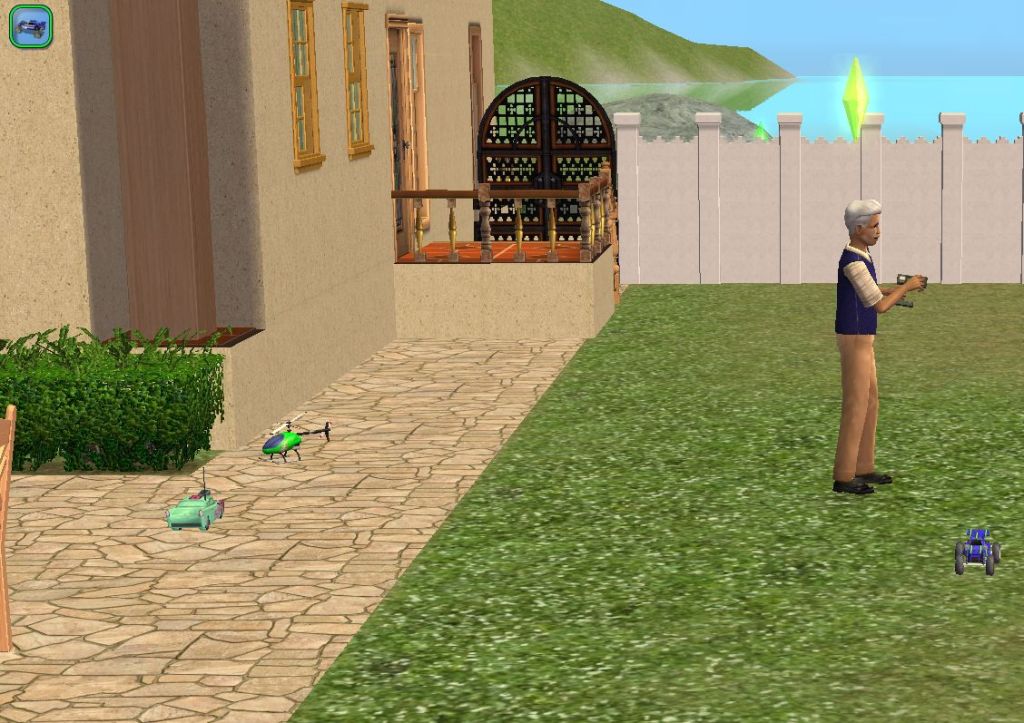
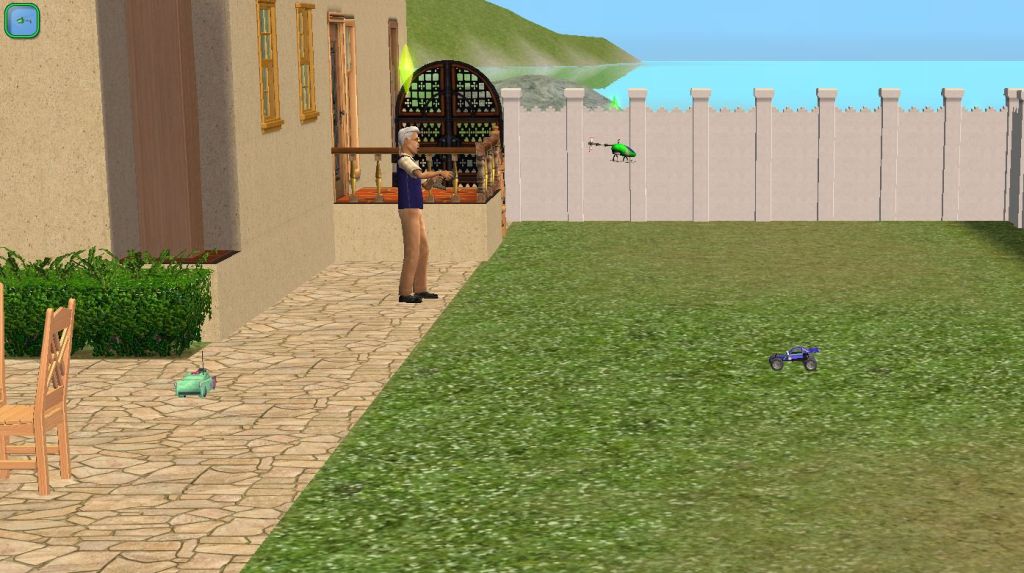
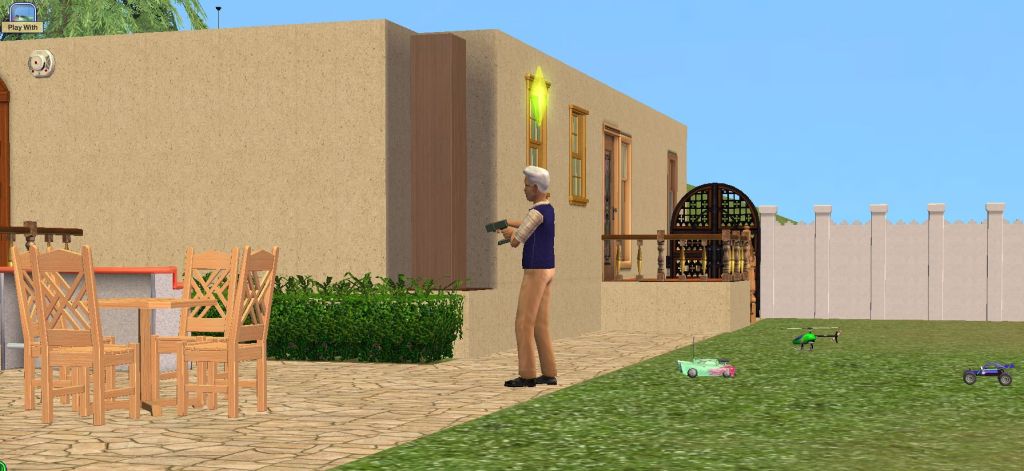
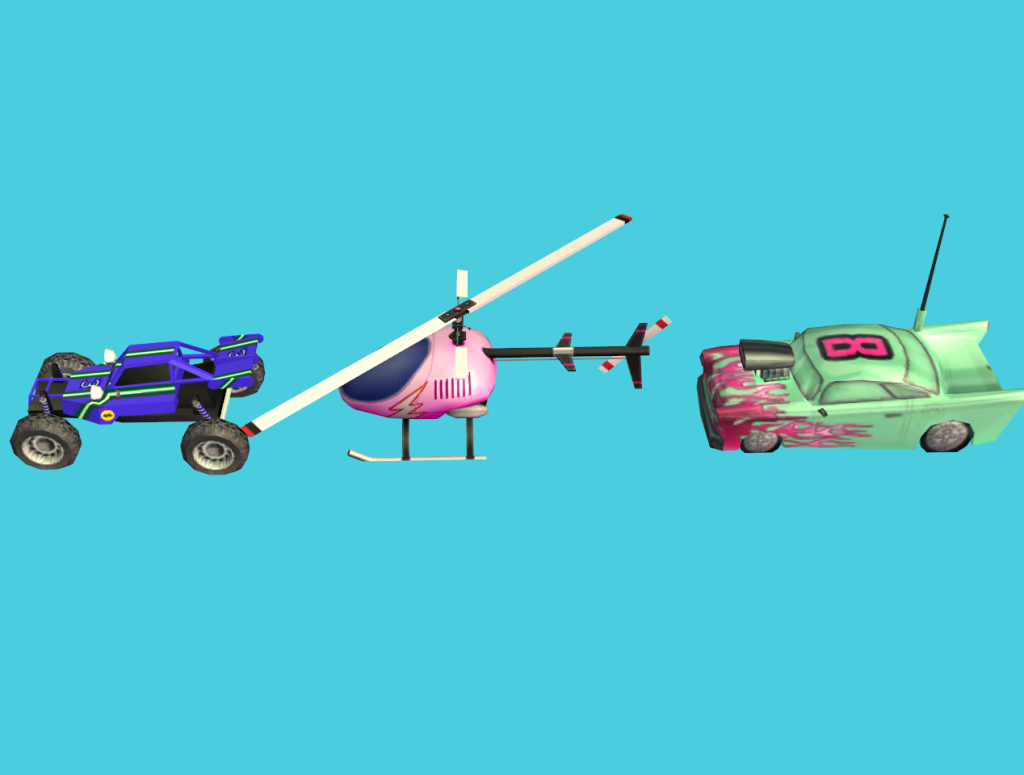
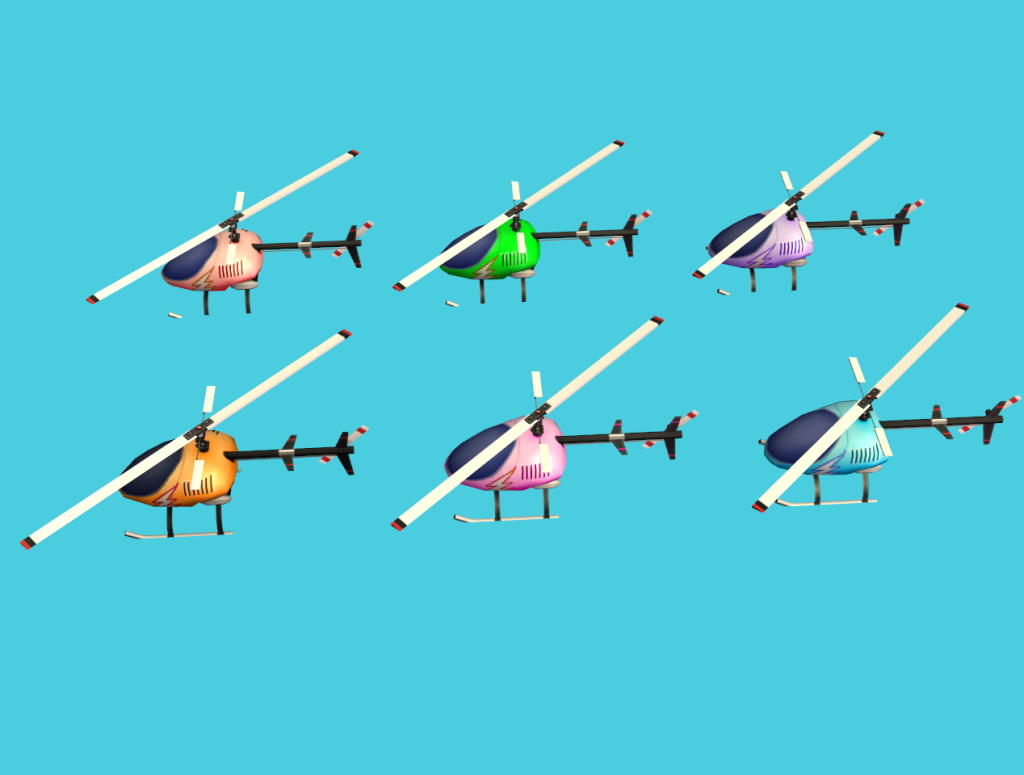
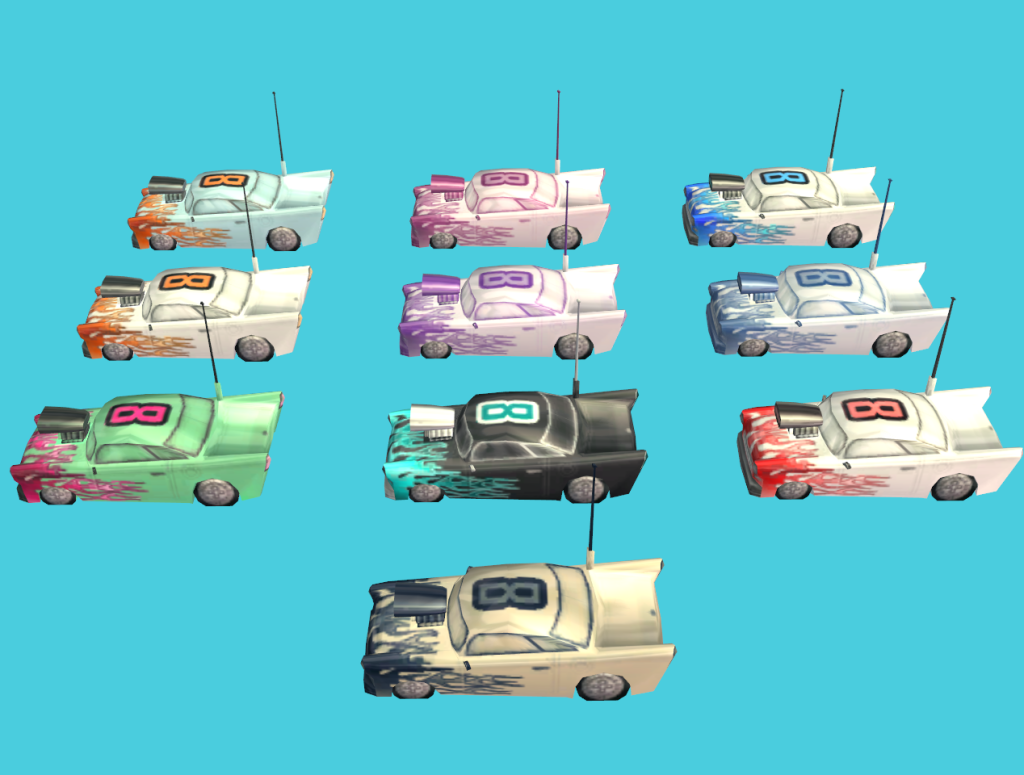
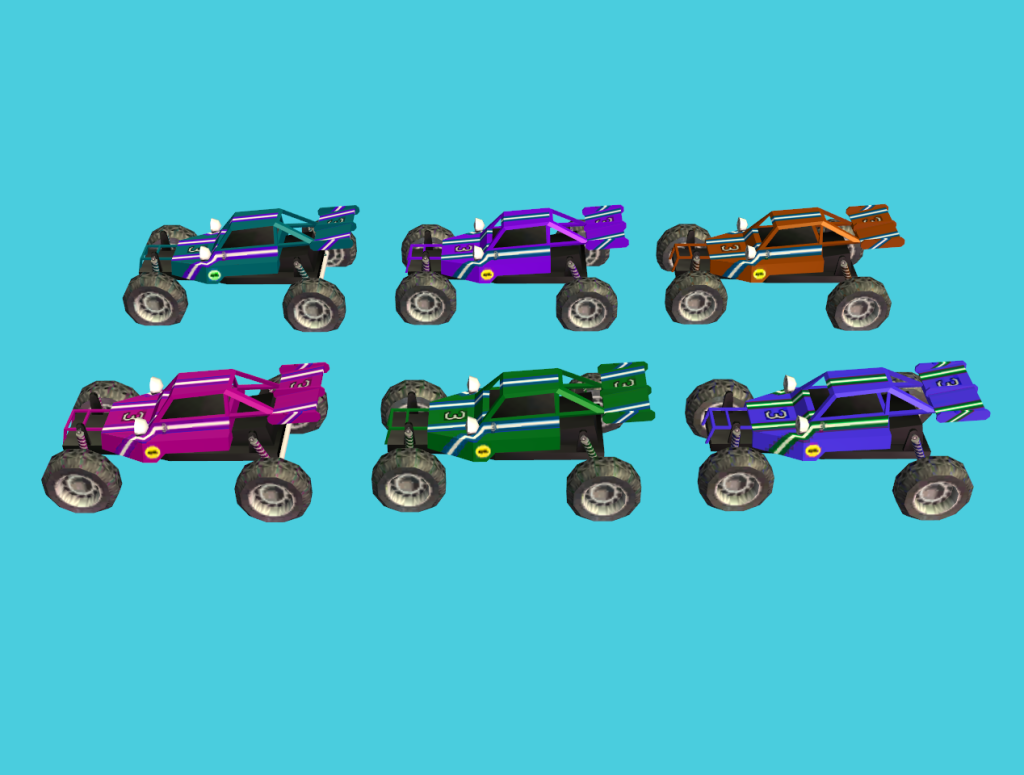
There are 3 different cep extras for the 3 remote control vehicles in the game. The base game car, the FT classic car, and the FT helicopter. However in order to use them properly, as they will revert to the original color upon stopping when you stop playing with them if only the cep extras are installed, you also need one of the two following mods. IF you have only base game, or base game plus expansion packs through bon voyage only, (like Mac players) you need the rcnpcbasebv mod. If you have freetime or higher (freetime, apartment life/mansions and gardens) you need the rcnpcftplus mod instead.
So to repeat, if you have the freetime classic car and the helicopter in your game, use the freetime plus mod along with all three cep extras. If you have only through bon voyage, and only the base game car, you only need the rccar cep extra and the rcnpcbasebv mod installed. I have also made several recolors of each car. If you do not know how to install Cep Extras in your game please goherefor instructions. Lord Tyger did test for me on a mac, and wound up putting both cep extras in his downloads before it would work, so if the classic mac instructions do not work for you, please try that.
Happy Valentine’s Day! I made some romantic lingerie to share, that uses the sexy base game nightgown as a base. These are set for pajamas only. They are marked for young adult, adult, and elder female.
I have had a couple of requests over the years for a default replacement protein shake, most recently by my friend Jo. So I decided to make one. It comes in a glass and appears to be a freshly blended vanilla version. With foam and everything. You obviously need Freetime for this, since it replaces the fitness perk protein shake.
It has approximately 200 polys so is actually quite small.
Of course being a replacement for a can, it doesn’t show an empty glass when you put it down, but it still looks much better than the original. Remember you can only have one default! My friend Jo is going to add a few flavors (er different colors) in case vanilla isn’t to your taste soon 🙂
My friend Jo found this really cool towel mesh from Simply Styling’s archive. We both really liked it but could find no recolors of it anywhere except for the two that originally came with it. So I decided to make some! The mesh is found in deco/wall for 25 simoleans. The mesh is included for your convenience. Please see the above link however, for the rest of the set and the original recolors that came with it.





 Gdayars' Sims 2 Creations